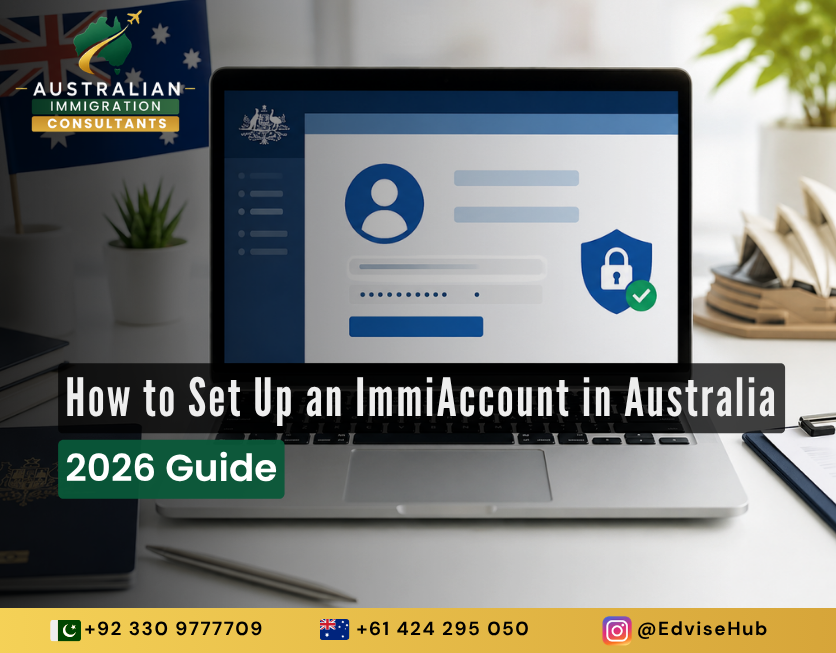
You found the visa. You know the subclass. You’ve even started gathering documents. Then you hit the first real hurdle every applicant faces before they can submit anything at all: creating an ImmiAccount.
It sounds simple — an email, a password, click “register.” But in 2026, the Department of Home Affairs has tightened security around ImmiAccount significantly, and a single mistake during setup (wrong account type, skipped MFA step, mismatched name) can delay your entire application before it even begins.
This guide walks you through exactly how to set up ImmiAccount Australia the right way in 2026 — step by step, with the mandatory security changes explained, and the mistakes that trip up first-time applicants avoided entirely.
What Is ImmiAccount Used For?
ImmiAccount is the Department of Home Affairs‘ official online portal for lodging, paying for, and tracking Australian visa and citizenship applications. Think of it as your personal control centre for the entire visa journey — from the moment you submit your first form to the day your outcome letter arrives.
Through ImmiAccount, you can:
- Lodge a new visa application online
- Upload supporting documents securely
- Pay visa application charges
- Track the real-time status of your case
- Receive official correspondence from the Department
- Import or manage an application shared by a migration agent
It’s important to understand what ImmiAccount isn’t. It’s not a visa. It doesn’t decide your eligibility, and creating one doesn’t guarantee approval — it’s simply the portal that gets your application in front of a case officer. The quality of what you submit through it is what actually determines your outcome, which is exactly where most self-lodged applications go wrong.
The Big Security Change You Need to Know About First
Before we get into the setup steps, there’s one update every 2026 applicant needs to know: multi-factor authentication (MFA) is now mandatory for every ImmiAccount, new or existing. You’ll need either an authenticator app (like Google Authenticator or Microsoft Authenticator) or an emailed verification code set up before you can log in.
This isn’t optional, and it isn’t a one-time thing you can skip and fix later — you’ll be locked out of lodging or updating anything until it’s configured. So before you start your immiaccount sign up guide, download an authenticator app to your phone. It takes two minutes and will save you a frustrating loop later.
Expert guidance tailored to your unique journey. Get a personalized roadmap from a Registered Migration Agent today.Navigate Your Migration
With Confidence.
How to Create ImmiAccount: Step-by-Step
Here’s exactly how to create ImmiAccount from scratch, without missing a step.
1. Go to the official Home Affairs portal. Only use immi.homeaffairs.gov.au . Scam sites mimicking the official ImmiAccount login page are a real and growing problem — never enter your details anywhere else, and never pay a “processing fee” to a third-party site before you’ve even lodged.
2. Choose “Create ImmiAccount.” You’ll land on a screen asking you to select an account type.
3. Select the correct account type. This is where most people get it wrong. There are two options:
| Account Type | Who It’s For |
|---|---|
| Individual | Applicants managing their own visa, or a friend/family member helping them |
| Organisation | Registered migration agents, sponsoring businesses, education providers |
Even if a migration agent or consultant is helping you, you should generally still register as an Individual — professional representation is then linked to your account separately through the appropriate authorisation form, rather than by giving up ownership of your own account.
4. Enter your email and verify it. You’ll receive a verification code by email. Enter it to confirm your address. Use an email you check often and will have long-term access to — this becomes your primary point of contact with the Department for months, sometimes years.
5. Set your username and password. Create a strong, unique password. Avoid anything you’ve reused elsewhere — ImmiAccount holds sensitive personal and immigration data, and account security matters as much as document accuracy.
6. Set up your secret questions. Choose answers you’ll remember but that aren’t easily guessable by someone else. This is your backup recovery method if you’re ever locked out.
7. Complete mandatory MFA setup. Scan the QR code with your authenticator app, or opt for an emailed code each login. Test it immediately with a fresh login before you rely on it for a time-sensitive submission.
8. You’re in. Your immiaccount registration is complete, and your dashboard is ready to use.
Immiaccount Login: Getting Back In Without the Headache
Once your account exists, immiaccount login is straightforward — but the MFA step catches people off guard every time. Here’s the flow:
- Go to the ImmiAccount login page
- Enter your username and password
- Open your authenticator app (or check your email) for the 6-digit code
- Enter the code within the time limit shown
- You’re logged in
Save your backup recovery codes somewhere secure — a password manager, not a screenshot on your phone that could be lost with the device itself.
How Do I Link My Visa to ImmiAccount?
If you’ve already lodged a paper application, or a migration agent lodged on your behalf and you want visibility into your own case, you can link an existing application to your account using the application ID and identifying details provided by the Department. Once linked, it appears on your dashboard alongside any new applications, giving you one place to track everything.
If a licensed migration agent is managing your case, they’ll typically notify the Department of their representation through the appropriate authorisation form. You retain your own ImmiAccount and can still view your application, though actions are generally coordinated through your agent to avoid duplicate or conflicting submissions.
Can I Create ImmiAccount Outside Australia?
Yes. ImmiAccount setup for student visa applicants, skilled workers, and family sponsorship applicants can all be completed from anywhere in the world with an internet connection. You don’t need to be physically in Australia to register, lodge, or manage your visa application — the portal is built for offshore applicants as much as onshore ones. This makes early setup even more valuable if you’re applying from Pakistan, the Philippines, Vietnam, India, or Nepal: you can get your account, MFA, and documentation groundwork done well before your intended lodgement date.
Setting Up ImmiAccount for Different Visa Pathways
The core immiaccount registration process is identical no matter your visa type, but what you do after setup differs depending on your pathway.
Immiaccount Registration for Skilled Visa Applicants
If you’re heading toward a skilled visa (subclass 189, 190, 491, or employer-sponsored options like 482), your ImmiAccount becomes the hub for your Expression of Interest outcome, invitation to apply, and full application lodgement. Keep your account details consistent with your SkillSelect profile — mismatched names or dates between systems are a common, avoidable cause of processing delays.
Note that mandatory MFA isn’t limited to ImmiAccount itself — it was extended to SkillSelect and Expression of Interest (EOI) accounts shortly after the initial rollout. If you’re managing a points-tested EOI alongside your ImmiAccount, expect the same authenticator app or email code prompt there too, and set both up together to avoid being caught out mid-invitation-round.
Immiaccount Setup for Student Visa Applicants
For subclass 500 student visa applicants, your ImmiAccount links directly to your Confirmation of Enrolment (CoE) and is where you’ll upload financial evidence, English proficiency results, and Genuine Student criteria documentation. Set up your account well ahead of your intended course start date — processing timeframes vary, and a late lodgement caused by account issues is entirely preventable.
Immiaccount for Partner Visa Applications
Partner visa applicants (subclass 820/801 or 309/100) use ImmiAccount to lodge a relationship-heavy application involving extensive supporting evidence — joint finances, cohabitation proof, statutory declarations, and more. Because partner visa applications are document-intensive and closely scrutinised, getting the ImmiAccount setup and document structure right from day one matters more here than almost any other visa category.
Mistakes That Slow Down First-Time Applicants
- Registering as “Organisation” by mistake when you’re an individual applicant
- Using an email address you later lose access to
- Skipping MFA setup and getting locked out mid-application
- Entering your name differently than it appears on your passport
- Creating a second account instead of recovering the original one (you only ever need one)
- Assuming you’re locked out for good if you lose your MFA device — ImmiAccount lets you reset your own authentication method from within the account itself, so try that before contacting the Department
When to Get Professional Support
Creating an ImmiAccount is the easy part. What goes into it — the evidence, the statutory declarations, the way your case is framed against the criteria a case officer is assessing — is where applications succeed or fail. This is especially true for relationship-based applications like partner visas, where the evidentiary bar is high and the margin for error is small.
This is where Australian Immigration Consultants comes in. Beyond helping you get your ImmiAccount set up correctly from the start, the team works closely with applicants — particularly on partner visa applications — to build a well-structured, evidence-backed case before anything is lodged, reducing the risk of delays or requests for further information down the line.
Frequently Asked Questions
1. What is ImmiAccount used for? It’s the official Home Affairs portal for lodging, paying for, and tracking Australian visa and citizenship applications online.
2. Is ImmiAccount free to create? Yes, registration itself is completely free — you only pay when lodging and submitting a visa application.
3. How do I link my visa to ImmiAccount? Use your application ID and identifying details to import an existing application into your dashboard, or have your agent notify the Department via the appropriate authorisation form.
4. Can I create ImmiAccount outside Australia? Yes, you can register and manage your account from anywhere in the world with internet access.
5. Do I need MFA to use ImmiAccount? Yes, multi-factor authentication is mandatory for every user as of the Department’s 2025 security update, and remains required in 2026.
6. Can I have more than one ImmiAccount? No, you should only ever have one individual ImmiAccount, which you can use across multiple visa applications.
7. Can my migration agent access my ImmiAccount? Your agent typically manages your case through their own professional account once formally authorised, while you retain view access to your own account.
This article is general information only and does not constitute migration advice. For guidance specific to your circumstances, particularly for partner visa applications, speak with a registered migration professional at Australian Immigration Consultants.